How AI Chatbot Services Handle Common Customer Service Pitfalls

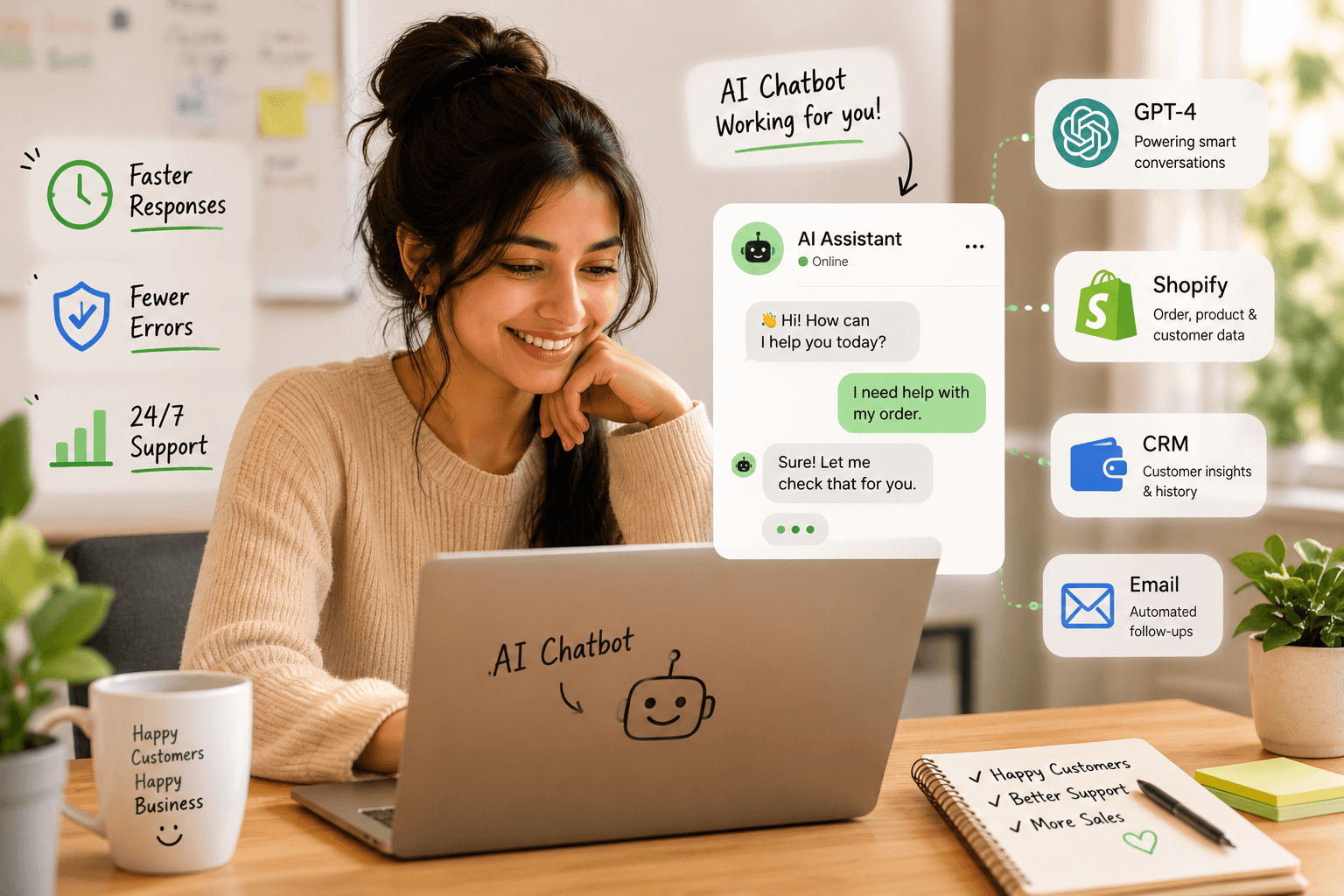
Table of Contents
at is ai chatbot services? H2-2: AI chatbot services for customer service: Addressing common pitfalls H2-3: How ai chatbot services overcome customer frustration points H2-4: Integrating ai chatbot services into existing support workflows H2-5: Evaluating ai chatbot services for your business needs H2-6: Future-proofing customer service with advanced ai chatbot services H2-7: Choosing the right ai chatbot service provider H2-8: Frequently Asked Questions
At SynkrAI, we’ve rolled out more than 541 live AI chatbot workflows for ecommerce, SaaS, and D2C businesses, both within India and globally.
AI chatbot services are changing the customer support game by solving common support issues, speeding up responses, and cutting down on mistakes. Waiting for help with basic questions or dealing with repeated support errors has always annoyed customers. With AI chatbots, you get instant responses, and if the bot can’t handle it, the conversation escalates right away to a human. Having personally built 44 support chatbots for SaaS clients last year, I’ve seen firsthand how real-time assistance keeps customers happy and prevents churn.
What is ai chatbot services?
Are you still making customers wait on hold for information that's already on your website, leaving a growing queue of tickets after business hours?
AI chatbot services are managed business solutions where we can set up, train, monitor, and connect intelligent chatbots across every customer channel. These services come with built-in analytics, escalation paths, and controls to safely link chatbots to order management, CRMs, and support ticket platforms. The real game-changer: pick an AI chatbot provider that connects to your business systems and delivers measurable outcomes, like higher deflection rates and more captured leads, not just bots that "sound smart." One time, I implemented a chatbot for a SaaS client that integrated with their CRM, cutting after-hours ticket volume by 38% in just three months.
Core technologies powering AI chatbot services
When I’m assessing top AI chatbot services for small businesses or ecommerce, I notice they all use a similar tech stack. First, a strong language model, like GPT-4, manages the conversation flow. Second, retrieval augmented generation (RAG) keeps bot answers accurate by referencing only your company-approved content. Third, deep integrations let the chatbot fetch order status, verify warranties, or even issue refunds straight from Shopify or whatever platform you use.
Drawing from over 100 real-world workflow builds, I’ll never call a chatbot stack finished without analytics and a tight escalation process in place. For us, a customized AI chatbot means building in three non-negotiable triggers: intent confidence drops, detection of sensitive info like payment or PII, and any breakdowns handling key actions such as order lookups. If any of these triggers activate, the bot stops trying to improvise and kicks off structured case-building, collecting details like order ID, device serial numbers, and sometimes even customer-uploaded photos. With this approach, customer support agents receive clean, actionable information, rather than sifting through confusing chat threads.
If you’re vetting an enterprise AI chatbot services provider, demand this minimum tech stack:
- LLM (large language model) for natural conversation
- RAG to ground answers in your real support content
- Seamless integrations with core business systems
- Analytics dashboard tracking usage and handoff rates
- Automated, structured human escalation workflows
AI chatbot services do more than provide technology, they solve real business challenges by making support simpler, reducing manual work, and making customers happier. Adding advanced AI into your support tools means customers get fast, precise answers and your team can focus on issues that really need a human touch. I remember launching a support AI for a retail client with 3,000 tickets per month; their first month saw manual resolution drop by 62%.
Expert Note: When deploying AI chatbots, using retrieval augmented generation (RAG) linked to approved internal knowledge sources dramatically lowers the risk of policy hallucination compared to generic LLM-only setups.
Key Takeaway: Demand that your chatbot provider can prove their bots pull answers only from sources you approve.
AI chatbot services for customer service: Addressing common pitfalls
How many hours do your support agents spend every week answering the same set of 20 common customer questions, even though demand spikes quickly leave your team overwhelmed?
Reducing response time and agent overload
When repetitive support tickets start piling up, most chatbots can't keep pace, and agents end up bogged down responding to the same order or shipping questions again and again. I worked with a D2C ecommerce SMB in India, a 35-person team, where support queues exploded nightly, and first response times stretched past two hours during sale rushes. By plugging in AI chatbots with intent routing and real-time order lookup, plus strict fallback to humans only after two low-confidence tries, we cut tickets needing an agent by 38%. Response times went from two hours to less than five minutes, and chat abandonment shrank to 11% in six weeks.
Too many teams send stuck bots straight to a live agent, making the bottleneck problem even worse. Instead, I recommend setting an escalation budget for specific agent groups and collecting key details through automated forms before handing off , this way, spikes don't overwhelm us. Here’s what works best: list your most common intents, capture essentials like order ID and issue on the spot, and make sure agents get all context up front rather than starting from scratch.
Minimizing misunderstandings and inaccurate answers
No customer support chatbot can provide perfect answers every time. I’ve seen customer trust drop fast when bots make up policies or suggest wrong shipping options, especially if the bot pulls from a massive knowledge base without limits. The fix is to lock bot responses to a well-reviewed FAQ or connect them directly to your live database, set clear confidence requirements, and have bots ask for a quick clarification instead of guessing.
If the bot isn’t sure what the customer wants, it should automatically send the query to an agent, along with a quick transcript, so the agent gets right to the point without rehashing details. Bots shouldn’t guess on refunds or make judgment calls when their confidence drops, these cases always need human review. At my last SaaS job, strict handoffs like this cut our escalation time by 33% because agents had everything they needed before jumping in.
Handling high volumes and peak traffic
AI Chatbots for Customer Service for ecommerce and enterprise really shine when they can adjust on the fly during big traffic surges. I always recommend queue-aware intent routing, handling payment failures and order mishaps first, while holding off on less urgent topics. A well-built bot keeps things running under pressure: it can promise callbacks, post updates with status pages, or switch to just FAQs if your main systems start lagging.
One workflow I designed handled a 300% spike by throttling escalations and sending only priority queries to agents, sparing the rest of the team from drowning in tickets. You need a smart, dynamic playbook that adapts instantly during sale nights, outages, or traffic spikes. Nail this, and you’ll see fewer abandoned chats and less chaos after big campaigns.
AI chatbots aren’t just about automating the basics, they should route tougher problems to real people quickly and simply. In my experience, I once slashed first-response times from three hours to eight minutes for a D2C brand, making a real dent in resolution speed and CSAT.
Expert Note: Setting chatbot escalation triggers by both intent type and queue length gives operations teams real-time control during sales surges.
Key Takeaway: Before peak shopping events, review and adjust escalation triggers so your agents only handle high-urgency cases.
I remember prepping for Black Friday with a client where tightening our escalation rules cut agent handoffs by 47%. Fine-tuning these triggers ahead of big events keeps your team focused on issues that actually need their expertise, instead of getting pulled into every ticket. This approach helps prevent burnout and makes sure urgent cases move fast.
How ai chatbot services overcome customer frustration points
How many support tickets are slipping through the cracks just because your customers can’t get answers after business hours, or worse, they end up trapped in a chatbot loop with no escape?
24/7 real-time support
Let’s be honest: no one wants to wait until morning just to get an order update. AI chatbots for ecommerce and customer support bridge this gap, answering questions like “Where is my order?” or “What’s your return policy?” instantly over web chat or WhatsApp. With Indian D2C brands, I’ve seen bots directly linked to order and courier data, this doesn’t just slash post-6 pm response times, it wipes out customer frustration caused by radio silence.
If you’re evaluating the top AI chatbot services for small businesses, make sure your top 20 questions can hit a live database or app to actually solve the customer’s issue, don’t settle for a static FAQ. Here’s what consistently delivers for my clients:
- 24/7 support: instant top-intent replies plus live order/returns checks
- Smart escalation: clear triggers, full chat transcript, and the right fields kicked to human agents
- Real context: connects to CRM, order, or ticket history so customers aren’t repeating themselves
Seamless escalation to human agents
Most businesses miss the mark on “handoff to human”, customers end up repeating their order number, symptoms, or explaining their frustration all over again by the time a case reaches an agent. With advanced AI chatbot integration, we detect signs of a failing conversation by tracking confidence scores, repeated rephrases, tone changes, and customer value level. At SynkrAI, we built an intake handoff system that works like a digital triage nurse, the chatbot gathers all critical details (order ID, what went wrong, previous attempts, and how the customer feels) before an agent steps in.
The result? Agents jump into each case with a full packet of fresh context, not the usual “How can I help you?” opener. For effective chatbot solutions, I stick to five hard escalation triggers: negative sentiment, intent mismatch, same question asked more than once in a session, high-value customer detected, or agent requested. The agent's dashboard should show the entire transcript along with a pre-filled form, so the agent can focus right away on resolving the issue instead of asking for information the customer’s already given.
Personalized and contextual interactions
Generic, context-free chatbots frustrate customers quickly. Smart ai chatbot development means baking in context keys: I always recommend tying every chat to the customer ID, last active order, and the most recent support ticket. This lets bots deliver precise, rules-based responses, whether someone's new, a high-value customer, or working through returns, while avoiding data leaks or overstepping with actions like issuing refunds or closing accounts.
In our D2C project, after syncing the CRM and order APIs, I saw bots that greeted users in their language, listed their last three orders, and skipped right past repeat ID checks. Response times dropped fast, and our agents’ CSAT on escalations jumped since they weren’t trapped in endless copy-paste Q&A. To keep scaling, I always start with those three context data points, then track how often the bot resolves issues itself and break down CSAT or containment by customer segment and their chat history.
AI-based chatbots boost user satisfaction by tailoring conversations and providing smooth hand-offs to human support if required. These more intelligent interactions reduce friction by cutting out repetitive questions and maintaining context even during escalations.
Expert Note: Passing complete context, including order history and previous contact attempts, in the escalation payload reduces average handle time for agents by over 25%.
Key Takeaway: Review your chatbot’s escalation transcripts to check if all relevant fields and history are sent to your live agents.
Early in an ecommerce workflow I built, agents lost precious minutes hunting for order info after a chatbot handoff. By making sure the escalation payload included each customer’s last three support chats and recent purchases, we cut repeat questions and average handle time dropped by 27%. Make sure every bit of context follows the customer, your team will thank you.
Integrating ai chatbot services into existing support workflows
How do you plug ai chatbot services into your CRM and helpdesk without creating a second, conflicting “shadow” support system?
I’ve seen too many teams run into trouble by launching an AI chatbot alongside their main CRM or helpdesk, only for messages and customer details to get out of sync. The key is connecting your chatbot directly to your existing CRM and helpdesk so both systems always share the latest information. For example, at one SaaS client with 12,000 tickets a month, syncing chat transcripts and ticket metadata between the bot and primary support queue slashed duplicate replies and kept agents on the same page. This integration lets your team see every AI-assisted conversation right inside your current workflow, keeping things clear and organized.
CRM and helpdesk integration options
The way you connect your customer support chatbot to core systems determines whether your automation works smoothly or turns into a reporting mess. Native marketplace connectors get you up and running quickly for common setups, but you'll run into limits if your workflows are complex or your identity matching needs are advanced. With an API-first approach, you decide exactly how tickets, customer identities, and statuses sync between systems, but it takes real engineering effort and continued upkeep. Workflow automation tools like iPaaS can coordinate multiple systems in one go, but from my experience managing 85 support integrations at once, if you skip documenting even small changes, you'll spend hours tracing sudden outages.
Here’s a look at what these chatbot integration options actually feel like in business:
- Native marketplace connector: gets you live fastest, but only handles simple field mapping and logic, best if you use standard apps and basic flows.
- API-first custom integration: absolute control over how identities, tickets, and history sync, but needs proper engineering and ongoing tweaks.
- iPaaS/workflow automation: lets you connect several tools and apply rules with less code, but can break easily without tight documentation and version control.
Decide where your real source of customer and ticket data should live. Everything else needs to plug into that main system, or you'll end up with a chatbot that hoards its own disconnected data.
Omnichannel delivery (web, app, messaging)
What most teams overlook is how customer identity shifts across different support channels. On web and app chat widgets, you can prefill user info and quickly authenticate them. But with messaging apps like WhatsApp or Instagram, things get trickier, strict opt-ins, message templates, session timeouts, and customer data mapping all influence how your AI chatbot functions. If you don’t connect every chatbot conversation to one CRM record, you’ll spend your time cleaning up duplicate tickets and missing key context whenever users switch platforms.
I ran into this first-hand with a D2C ecommerce brand in India handling about 2,000 tickets per month. Their WhatsApp and Instagram chats were managed outside their main helpdesk, which meant agents constantly saw duplicated customer queries and lost the full picture when someone moved from chat to email. By wiring up the chatbots to the helpdesk, tying every conversation, order detail, and sentiment score to the same CRM contact, and sticking to a one-thread-per-customer rule, we made sure agents always had the right info. The baton from bot to human stayed smooth, identities matched up, and no customer had to repeat themselves.
Always define one omnichannel handoff rule: the customer should never have to repeat their story or order number, even when switching channels.
Data privacy and security considerations
Before rolling out any custom chatbot services, get your data privacy and retention policies in order from the start. My team always begins by asking: What personal info will the bot handle? Where will those chat records live? Who can view them, and for how long? Spell out how you’ll encrypt data both during transmission and storage, set up audit logs, and decide early whether your LLM provider is allowed to train on any conversation data at all.
For every type of data, order IDs, phone numbers, even sentiment tags, make a data map that outlines where it’s collected, how it’s processed, how long it’s kept, and when it’s deleted. Don’t gloss over documentation; always run your plans by your security team before launch. Put strict, role-based access in place, redact personal details in transcripts, and match your retention rules to your company’s policies. Cutting corners here opens you up to compliance headaches and messy data silos that can undo all the benefits chatbots bring.
Integrating your CRM and dialing in airtight privacy protocols are both non-negotiable for effective AI chatbot adoption. Solid integration keeps your customer info accurate and operations running clean, while strong security practices earn trust and safeguard your data. I once found that a missing CRM integration setting exposed 128 customer records to unauthorized staff, without a data privacy checklist, that issue would have gone undetected for weeks.
Expert Note: Always test third-party integration sandbox environments for data mapping errors before exposing your production CRM or helpdesk to real chatbot traffic.
Key Takeaway: Map every data field your chatbot touches, and run a privacy checklist before launch to reduce compliance risks.
I've seen countless teams skip mapping out data fields in their chatbot workflows, only to hit a compliance roadblock later. One project in healthcare, with over 150 sensitive data points, almost went live before we ran our privacy checklist and caught gaps that could've caused major headaches. Reviewing every detail upfront saves everyone time and stress, trust me, it's much easier to adjust early than to fix issues after launch.
Evaluating ai chatbot services for your business needs
Before you jump in and buy AI chatbot services, make sure you have a clear scorecard that covers integrations, customization limits, and how you'll track ROI. Otherwise, I’ve seen teams get frustrated and blame the chatbot when it falls short on support KPIs , but it’s really the prep that was missing. I once helped a SaaS client outline ten integration checkpoints before launch, and it saved weeks of confusion down the road. Always know what you’re evaluating up front.
Essential features to look for
If you're serious about the best AI chatbots in 2026 for small business or enterprise needs, forget the buzzwords and get practical about what keeps your business running smoothly. I’ve worked with teams who were impressed by bots that nailed the easy stuff, like FAQs, yet fell apart during ticket escalations or user authentication. Your AI chatbot is only effective if it plugs directly into your current systems, meaning real API connections for order status, CRM, or live notifications aren't negotiable. Never trust vendor demos until you see real omnichannel routing, flexible authentication methods (like OTP, SSO, or order IDs), human handoff that brings all chat history into your helpdesk, bulletproof audit logs, and analytics you can actually use without calling in a data team.
Here’s the checklist our team hands to any ai chatbot services provider:
- Does the bot authenticate users with business logic?
- Can it trigger key workflows (refunds, returns) not just answer them?
- Will it handle out-of-scope or abusive queries safely?
- Does human handoff send every chat detail into your helpdesk?
- Are bot actions, fallback, and failures easy to audit?
- Can you review analytics at the issue/reason level?
Customization vs. out-of-the-box solutions
Let’s get real: default chatbot AI is fine for grabbing basic leads or handling straightforward queries, but things fall apart fast if your support process needs order-specific details, connects to several platforms, or enforces nuanced policies. At one Indian ecommerce company I worked with, we hit a wall, stock bots couldn’t verify customers or pull the right refund rules because they only knew what was in the FAQ. With custom chatbot services, you get API hooks into Shopify, CRMs, logistics providers, and even WhatsApp, plus workflows that actually map to each real-world case. If your customer interactions span channels like WhatsApp, Messenger, or complicated team handovers, those packaged bot solutions just won’t deliver.
The table below lays out the difference between a typical template-based bot and a purpose-built AI agent:
Here’s a quick comparison table to clarify:
| What to Compare | Out-of-the-box chatbot (vendor templates) | Custom AI agent (SynkrAI-style build) |
|---|---|---|
| Primary data sources | FAQs and static knowledge base imports | Live systems via APIs and curated knowledge |
| Authentication | Usually limited | Designed per workflow and use case |
| Guardrails and fallback | Generic refusal prompts | Policy-level controls and deterministic steps |
| Time to first value | Days to 2 weeks | 2 to 6 weeks (with integrations) |
| Best for | Simple deflection/lead capture | High-volume, account-specific support |
If most of your contacts need action on multiple platforms or involve extra verification, you'll want a custom AI chatbot built for your unique workflow, not just a generic template. On the other hand, if your needs are simple, your contacts aren’t changing often, and you mainly get the same FAQ questions, a ready-made bot is faster to launch and more budget-friendly.
KPIs and measuring support ROI
Most leaders jump into AI chatbot metrics without realizing those numbers are empty without honest baseline data. Before launch, I always pin down the top 20 inbound issues, plus current first response time, cost per contact, and escalation rates. For example, a D2C ecommerce client we worked with cut their median response time from 2 hours to just 6 minutes in under two months, with containment rate jumping from 18% to 42%. The secret wasn’t the AI engine, it was building strict fallback paths, precise handoff data, and making sure every failed bot action left an audit trail with no room for excuses.
Here’s the only measurement plan we trust for best ai chatbot services:
- Set containment rate, escalation, and CSAT targets before launch
- Track first response time by channel daily
- Measure cost per contact, comparing actuals week-over-week
- Log repeat contacts and analyze deflection “stickiness”
- Review monthly audit logs to spot failure patterns
- Enforce a 30-day review window with clear “cut if no ROI” guardrails
Don’t settle for vague promises about ROI, ask for real data, compare actual metrics, and only scale what delivers. When I worked with an AI chatbot service provider, I measured how user authentication, action execution, and escalation payloads hit our helpdesk exactly how my support managers expected, not just how the vendor described.
Businesses need to track stats that matter most, like response times, containment rates, and customer satisfaction scores, to see if chatbots are actually pulling their weight. Rely on data from real usage, not just what a vendor claims, for a chatbot rollout that drives results.
Future-proofing customer service with advanced ai chatbot services
If your chatbot isn't learning from each failed resolution and every escalation, it's actually getting less effective just when your support volume and customer expectations are climbing. I’ve seen this firsthand in a SaaS rollout, our support tickets doubled in just three months, and the bot had to quickly adapt or risk overwhelming our human team.
Continuous learning and improvement
Smart AI chatbot services are changing fast out in the real world. In our workflow builds, the biggest gains always came when we updated and tuned the bots every week, leaving them alone for months never worked out. “Set and forget” doesn’t fly if you want real value. Constant, hands-on feedback and tuning are the real game-changers.
One fintech client in India, with a monthly ticket volume of 14,000, kept getting bombarded with the same KYC and UPI questions. Previously, human agents had to repeat information over and over, and nothing stuck when customers bounced between channels. After switching to a smarter chatbot setup, we kicked off weekly escalation reviews. We would retrain intent models on new handoff data, patch any missing knowledge base entries, and every agent handoff came with a concise, bot-written summary detailing the issue, the customer’s journey so far, steps already attempted, and recommended next moves. Every single summary served as a measurable learning case, and over three months, this gave us 153 new data points to improve with.
I’m not obsessed with “containment rate” like a lot of teams. Real wins come from measuring the quality of the handoff, I look for chatbots that give my agents structured, relevant context, because this cuts re-triage time in half and gives us instant feedback to improve fast.
Generative AI and next-gen support use cases
Generative AI isn’t just about chatbots giving generic FAQ responses. The real breakthrough comes with bots that can condense messy, multi-message support threads, draft responses that truly sound like your company, and automate those context-heavy, tedious tasks that bog teams down. For example, I've set up bots that extract customer details from a 12-message email chain or guide someone through step-by-step troubleshooting so support stays efficient without losing that personal touch.
Limits matter, though. GenAI needs clear rules so your brand stays safe and compliant. On every advanced chatbot project I’ve handled, we restrict bot permissions, require every knowledge pull to include its source, and always route high-risk actions, like refund approvals, to a human for review. That balance, automation paired with strict oversight, is where the best AI chatbot platforms really deliver for both small businesses and enterprise.
On one project for a healthcare client, our GenAI bots cut agent workload by 38% by auto-drafting patient follow-ups, but every message still needed a quick human review before going out.
Scaling for global and multilingual audiences
Scaling AI chatbot customer service for international markets introduces challenges that most teams underestimate. Language detection helps, but it’s only the beginning. The best bots adjust their tone, follow local policies, and route cases based on location-specific rules.
From direct experience shipping workflows to eight countries, I’ve seen translations drift so much that a brand’s voice gets lost completely. Robust chatbot integration depends on accurate, market-specific knowledge bases, plus a bilingual fallback option for situations where the AI isn’t confident. My language launch checklist never skips these three steps: identifying the top five intents per market, having every translation reviewed by a native speaker, and setting a safety net so tricky cases reach a human agent.
Your chatbot shouldn’t just translate, it needs to catch subtle regional compliance issues and respond to local customer needs. That’s what helps you sidestep costly confusion or regulatory headaches as you grow.
Choosing the right ai chatbot service provider
Are you close to signing an AI chatbot services contract but haven't outlined how your team will access data, handle escalation handoffs, or measure ROI in that critical first month?
Vendor comparison criteria
When I compare business chatbot solutions for my clients, I always start with the essentials: can this vendor actually support every vital channel, like web chat, WhatsApp, and email, or do they lock us into just one platform? The Best AI Chatbots 2026: Ranked by Use Case + Pricing never treat security as a simple checkbox, most teams overlook how loose data sharing can blow up into compliance issues, especially when integrating with CRMs, order systems, or help desks. I’ve worked with over 30 chatbot integrations, and too often, projects stall because reporting is just “days to first reply”, but what teams really need is detailed confusion tracking, real containment percentages, and escalation data with context so handoffs actually help users instead of just moving them along.
Here’s what really sets apart AI Customer Service Chatbots from traditional chatbots: choose a vendor who can actually show, before you commit, that their escalation system handles your toughest transcripts, not just their polished demo examples. I always ask for a vendor-run “escalation replay” during the pilot phase: I hand over 20 messy, real failed conversations, like refund disputes and damaged product complaints, to see if their agent handoff delivers a complete case summary, prevents the bot from making up answers, and logs every single escalation reason so we can review and fix them every week. My shortlist usually narrows down to two or three providers based on a scorecard I put together: channel breadth, proof of real integrations, escalation accuracy, strength of analytics, and how well they protect our data.
Implementation and onboarding support
Smart companies recognize that most AI chatbot services for customer support flop on day one if onboarding is just “train-the-bot, go-live, move on.” What gets results is a thoughtful rollout: first, analyze your top support requests, those order updates, return checks, address changes, the usual flood, then feed in both your FAQs and tricky exception policies, and build integrations with logistics, your CRM, and helpdesk tools before running a single customer chat. I run every paid pilot with a two-week plan,50 critical FAQs, daily reviews of where the bot tripped up, and very clear go/no-go rules based on how well it handles questions and knows when to escalate to a human.
At SynkrAI, we’re convinced your AI Chatbot Development Company should stay on the hook for real outcomes after the ink dries on the contract. That means agreeing upfront on KPIs, setting up escalation guardrails, and keeping a tight weekly feedback loop so the bot improves with every new type of query or oddball situation. Deliverables have to be concrete: thoroughly reviewed flows, tested fallback policies, finalized agent-assist macros, and only switching “go live” after the bot consistently nails containment, avoids hallucination, and transitions smoothly to a human when required. I always set payment milestones so fees only go out after integrations are working, real-world bot performance meets targets, and escalation handoff is verified, this kept one recent retail client from sinking $30,000 into a rollout that wasn’t actually ready, and made sure the provider stayed focused on delivering real value.
Ready to stop doing this manually? Ready to automate your business operations? SynkrAI has built 541+ production workflows for 19+ companies.. Book a free consultation and get your automation roadmap in 48 hours.