AI Onboarding Agent
New hire or new client welcomed, set up, and productive from day one. Without your team managing it manually.Starting at $500 Delivered in 7 days

Every New Hire and New Client Gets the Same Broken Experience.
Onboarding sets the tone for everything that follows. Right now it's costing you retention on both sides.
First Impression Chaos
Welcome email sent. Then silence. They're waiting for access, documents, introductions: nobody is coordinating it. First impression is chaos.
Manual Chase Game
Your team is manually chasing document submissions, sending reminder emails, and assigning tasks one by one. Same process every time. Zero automation.
Missed Milestones
Milestones get missed. Nobody checked if the new hire completed week one training. Nobody followed up with the client after kickoff. Things fall through and relationships start rocky.
Run Your Entire Onboarding Operation on Autopilot.
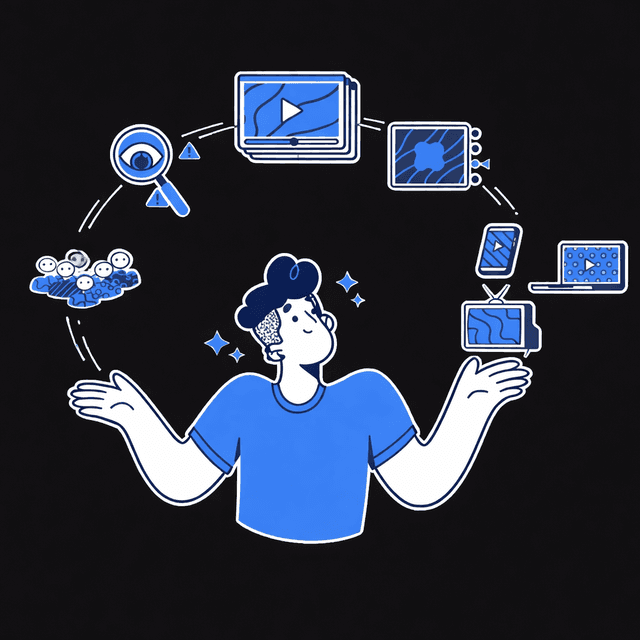
The AI Onboarding Agent runs your entire onboarding operation for both new hires and new clients, simultaneously and separately.
The moment someone is added to your system, the agent kicks off their personalised onboarding flow: sends the welcome sequence, collects every document and piece of information needed, assigns tasks to the right internal team members, checks in at every milestone, and flags anything that's falling behind: all through the platforms your team and your clients already use.
Employee and Client Onboarding Tracks
Employee Onboarding Flow
New hire added to your HR system, CRM, or manually triggered. Agent fires immediately: no delay, no manual kickoff needed.
Personalised welcome message sent on day one: their name, role, team, first day agenda, and everything they need to know before they start. Delivered via Slack, WhatsApp, or email: wherever they're being onboarded.
Agent sends a structured document request: ID, contracts, tax forms, bank details, emergency contacts, signed policies. Each document collected through a secure upload flow directly in the chat or via a linked form. Reminders sent automatically if anything is outstanding.
Internal tasks triggered in parallel: IT access setup, equipment ordering, system invitations, buddy assignment, manager intro meeting scheduled. Every task assigned to the right team member in Notion, ClickUp, Slack, or your project tool. Nothing falls through because nobody remembered to assign it.
Agent checks in with the new hire at defined points: end of day one, end of week one, end of month one. Asks structured questions, collects feedback, flags any concerns to the manager automatically. No HR manager manually scheduling check-in calls.
New hire fully set up, documents collected, tasks completed, team notified: all tracked in one dashboard. Manager receives a daily status update until onboarding is complete.
Client Onboarding Flow
Contract signed or deal marked as won in CRM. Agent fires immediately: kickoff sequence starts before your team has opened their laptop.
Personalised welcome message sent to the client: what happens next, who their point of contact is, what they need to prepare, and a link to book the kickoff call if not already scheduled. Professional, warm, and on-brand from the first message.
Agent sends a structured intake: brand assets, login credentials, access permissions, onboarding questionnaire, signed agreements. Collected through secure upload directly in the conversation or via a linked form. Follow-up reminders sent automatically until everything is in.
Project kickoff tasks triggered in parallel: workspace setup, team introductions, first deliverable assignments, internal briefing doc created. Assigned to the right team members in your project tool. Client folder created and populated automatically.
Agent checks in with the client at key project milestones: after kickoff, after first deliverable, at the 30-day mark. Collects feedback, flags concerns, and surfaces satisfaction signals to your account manager before they become problems.
Client fully onboarded, assets collected, team briefed, project running: all without your ops team coordinating a single email chain.
WHAT WE BUILD FOR YOU
Before a single flow is configured, we map your entire onboarding operation for both tracks:
Onboarding Steps
Every action that needs to happen for a new hire and a new client, in the right order.
Document Requirements
What needs to be collected, in what format, by when.
Internal Task Structure
Who does what during onboarding, which tools they work in, how tasks should be assigned.
Milestone Logic
When check-ins happen, what questions are asked, what triggers an escalation.
Communication Channels
Where employees and clients prefer to receive messages: Slack, WhatsApp, email, or inside your project tools.
Your Tone
How formal or warm the onboarding communication should feel for each audience.
Then we build both flows, connect your platforms, configure document collection, set up task assignment in your project tool, test end to end with a real hire and a real client scenario, and hand off a system that runs the moment it's triggered.
Automated Onboarding Infrastructure
TECH STACK - YOUR CHOICE

Slack API


Gmail
Accelerate Your Operations
These AI agents are designed to work in sync with your current solution, creating a fully autonomous workflow across your entire business.
AI Hiring Agent
Posts the job, screens the CVs, asks the questions, takes the first call, and hands your HR team only the candidates worth their time.
AI Company Brain
Every SOP, doc, policy, and process your team needs answered instantly, wherever they work.
AI CRM Agent
Your CRM updates itself, flags what's going wrong, and tells you before a deal dies.
Real Numbers. Real Businesses.
Agency
Canada
The Situation Before
Onboarding new clients manually. 3-day average from contract signed to client fully set up. Ops lead spending 6+ hours per client collecting assets, sending access requests, and briefing the team.
Client onboarding fully automated end to end. Assets collected within 24 hours of contract signing. Internal team briefed and tasks assigned before the kickoff call. Ops lead freed entirely from onboarding coordination. Client satisfaction scores up 44%: clients consistently citing the onboarding experience as a standout.
One Onboarding Machine. No Manual Chasing.
Employee Flow
Focus on internal hire onboarding.
$500
Full Onboarding Stack
Full Employee and Client onboarding automation.
$800
Client Flow
Focus on client asset collection and kickoff.
$500
Every Build Includes
- Discovery session and flow mapping for both tracks
- Full platform integrations (HR, CRM, Project Tool)
- Document collection setup in your chosen tool
- Task assignment configuration and reminders
- Milestone check-in and feedback logic
- Test run end to end with real scenarios
- Handoff call and full documentation
Need Something Custom?
Customisation based on your specific business logic, integrations, or volume is available. Book a scoping call and we will quote you before anything starts.
Book a Scoping CallPayment Terms
50% upfront to start the build. 50% on delivery once you are satisfied. No surprises, no hidden fees.