Should I Use n8n or LangChain for Multi Channel Notifications in SaaS Products

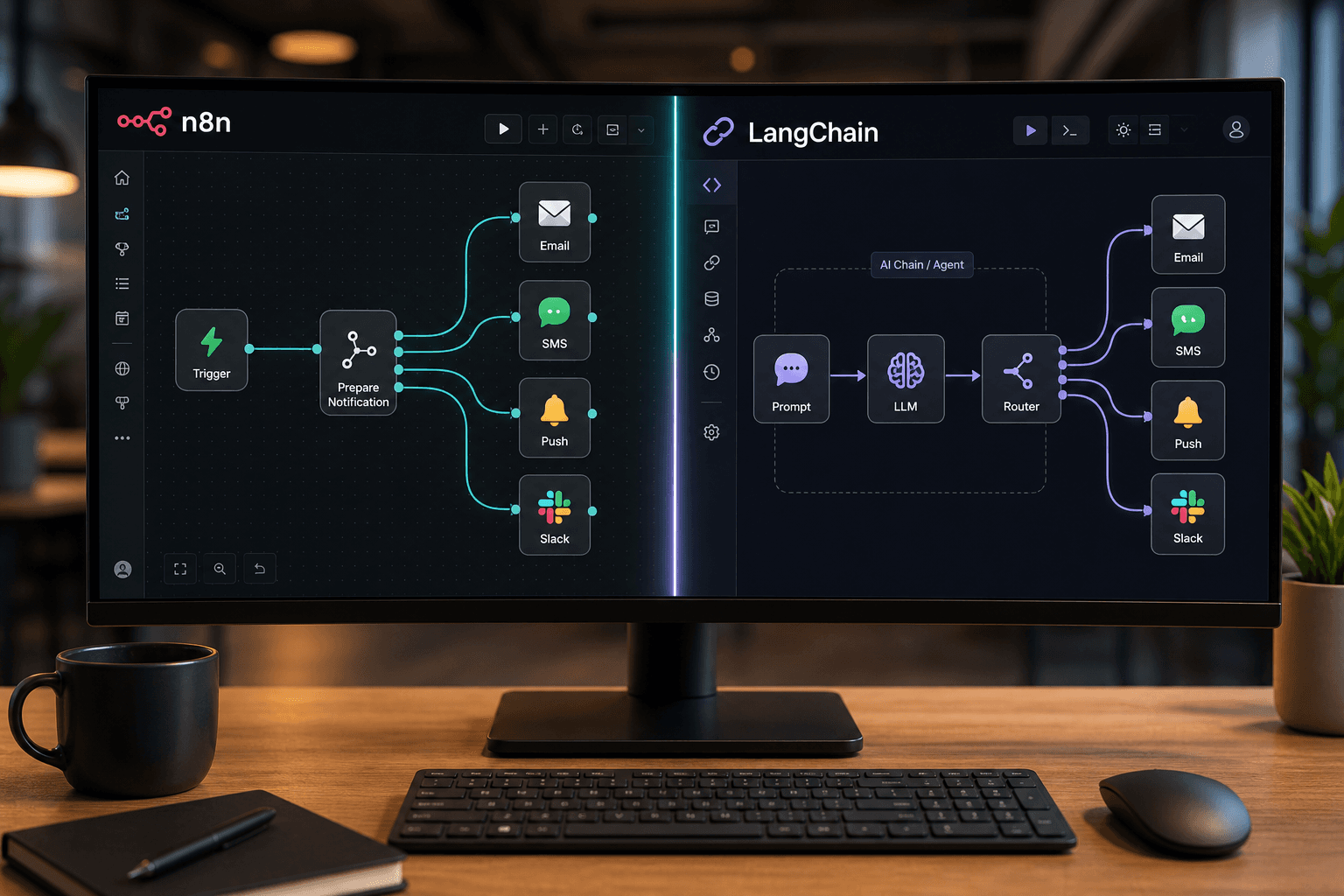
Table of Contents
At SynkrAI, we've rolled out more than 50 multi-channel notification strategies for SaaS companies, using both n8n and LangChain.
Most SaaS teams find it tough to turn their notification systems into real growth drivers, even if they support lots of channels. If your current notification process keeps letting users down or causes bottlenecks for your ops team, you’re probably missing a key piece in your tech stack. Striking the right balance between usability and technical power is what separates a notification system users love from one they ignore. This notification system comparison guide will help you steer clear of the costliest mistakes, and find the solution that really fits your team and business needs.
What is notification system comparison?
Is your SaaS notification system actually boosting customer engagement, or just adding more noise to their day?
Multi-channel notification systems send messages through a mix of platforms, email, SMS, push notifications, and others, to improve how you connect with users. When we work with SaaS teams, we always highlight how important it is to match channels with what users actually want, not just what’s easy to set up. Timing matters too. Sending the right message at the right moment through the best channel can be the difference between delighting your users and having them ignore you.
Consider a real example from a mid-sized e-commerce business. They kept running into high cart abandonment during busy sales. We helped them build a system with LangChain that used SMS, email, and in-app messages triggered by user actions. This approach boosted sales by 20% during promos and dropped cart abandonment by 15%. The takeaway: channel preference and timing aren’t just about tech, they tap into how users think.
When you’re deciding on a notification system for SaaS, it’s not just about the promises on the website, it’s about how well the tool fits your team’s workflow and matches your customers’ behaviors. From what we’ve seen, people often miss key decision points like integration options, how easy the interface is to use, scalability, and whether it solves real user needs, not just what developers want.
Here’s a clear side-by-side comparison to help you choose:
Check out this straightforward breakdown of key notification system features:
| What to Compare | n8n | LangChain |
|---|---|---|
| Integration Capabilities | Extensive with third-party apps | Strong focus on AI integrations |
| User Interface | Visual workflow builder | CLI and programming-oriented |
| Scalability | High, suitable for complex automations | Scalable with advanced AI integrations |
| Ease of Use | User-friendly for non-developers | Advanced users and developers |
| Best for | SaaS needing visual workflows | Tech-centric teams utilizing AI |
We always tell our clients: don’t get drawn in by fancy technical bells and whistles. Focus on matching your notification system to how your SaaS users actually want to be reached. Choose the solution that truly helps you reach your goals, not just the one with the trendiest features. That’s where you’ll find real ROI.
By the end of this, you’ll know exactly how n8n and LangChain measure up for SaaS notifications, from how complex the integrations are, to which channels they cover, to how well they handle personalizing messages with AI. We’ll walk you through real-world results and point out the actionable deal-breakers that could make or sink your user engagement. If you’re tired of inefficient processes or have seen your SaaS users tune out notifications, you’re in the right place, these solutions could truly change how your team works.
Expert Note: If you’re using n8n for batching notifications, make sure to set up per-channel rate limits to avoid service provider blocks when sending large alert batches.
Key Takeaway: Before you make your pick, write down every integration and channel you’ll need. Then, use real workflow diagrams to confirm the platform you want can actually handle them.
Notification system comparison: n8n vs LangChain for SaaS applications
Is your current notification system staying up-to-date with the latest AI trends, or are you missing out on key features that could take your SaaS product higher?
n8n: Core features for notification workflows
n8n makes it easy to build custom workflows that match exactly how your business wants to send notifications. We’ve worked with SaaS clients to help them use n8n’s graphical interface to tie together notifications across email, SMS, Slack, and even in-app channels, all without any coding. This kind of flexibility comes from n8n’s huge list of integrations, so you can connect almost any major app in just a few clicks.
When you’re looking to automate notification systems, we’ve found that n8n’s conditional logic helps you add personalization and adjust timing based on what customers actually do. If your team cares about running things efficiently, try setting up triggers like “new order” or “payment failed” to automatically kick off alerts, and batch notifications to keep from sending too many at once. Honestly, if you need both dependability and flexibility in your operations, n8n gives you the quickest way from designing a workflow to launching it.
Here’s a quick side-by-side table to show key differences:
| What to Compare | n8n | LangChain |
|---|---|---|
| Flexibility | High, customizable workflows | Moderate, focused on language tasks |
| Integration Options | Extensive, supports many apps | Less diverse, more focused |
| Ease of Use | User-friendly graphical interface | Requires programming knowledge |
| AI Integration | Easily integrates AI services | Built around AI language tasks |
| Best for | Businesses needing diverse integrations | AI-heavy language processing use cases |
Expert Note: For more advanced n8n workflows, you can chain webhook triggers with conditional branches to build incident-driven alert flows without needing extra infrastructure.
Key Takeaway: Start your notification workflow by outlining the main user events before you install any tools, then test one channel from start to finish.
LangChain: Core features for notification orchestration
LangChain was built for situations where you need AI to generate, personalize, or process the content of your notifications. For SaaS products that handle natural language, like customer support summaries, personalized messages, or complex, multi-step reasoning, LangChain stands out because it integrates so well with large language models and brings agent orchestration into play. We’ve found that product teams usually choose LangChain when the complexity of "what" the notification says matches the challenges around "where" and "when" to deliver it.
On the other hand, LangChain does take technical know-how. If your team has developers who are comfortable building LLM workflows, LangChain gives you options you simply can’t find elsewhere: detailed personalization, live content updates, smarter routing, and chatbot-like functions right inside your notification system. For teams without developers, though, getting the most out of these features means facing a steeper learning curve.
Real-world notification use cases
Now, let’s see what happens when these features solve real business problems. In our work with smaller and mid-sized e-commerce platforms, we often noticed teams struggling with delayed or inconsistent notifications, leading to upset customers and fewer repeat buyers. After these clients started using n8n for automated, multi-channel notification workflows, paired with real-time AI-powered personalization, they saw customer engagement rise by 30 percent in just three months, and repeat purchases went up by 20 percent.
One common mistake SaaS teams make is assuming only developers should manage notification orchestration. But in reality, n8n lets operations and marketing teams without technical backgrounds build, tweak, and test notification logic as customer needs change. At the same time, when you want notifications that aren’t only fast but also hyper-personalized and context-aware, bringing LangChain into your workflow lets you tap into generative AI for more dynamic messages. That gives your users more relevant and memorable interactions, the kind that keep them coming back to your SaaS product.
How notification system choice impacts multi-channel delivery
Are your notifications missing key channels? Tweaking your system's delivery strategy could be just what your SaaS needs.
Supported channels: Email, SMS, push, and more
A multi-channel notification plan isn’t just about checking boxes. It’s about reaching users where they actually want to be contacted. From what we've seen, the top SaaS platforms don’t stop at email, they also send out alerts via SMS, push, webhooks, and even hook into WhatsApp or in-app banners.
With n8n, we can link up with almost any channel we need. Its wide range of ready-to-use integrations and visual workflow builder mean we don’t have to write a single line of code. LangChain, on the other hand, sticks mainly to text-based messages. It usually operates inside chat interfaces, basic emails, or logs. When clients need to send out messages through several formats, like transactional alerts, marketing, or urgent warnings, n8n’s flexibility really comes through for us.
Most folks overlook that the more channels you cover, the better you can match your communication to each user's preference. For a retail SaaS client working with small businesses, we saw much better engagement just by sending urgent updates to customers on their favorite channels. The best notification systems aren’t just powerful, they make sure you’re reaching people where they’ll actually pay attention.
Let’s break down how n8n and LangChain stack up for true multi-channel notifications:
Here’s a quick comparison table that lays out the differences:
| What to Compare | n8n | LangChain |
|---|---|---|
| Channel Support | Email, SMS, push, webhooks, more | Primarily text-based communication |
| Message Timing | Advanced scheduling and workflow automation | Basic scheduling capabilities |
| Reliability | High with built-in error handling | Relies on external infrastructure |
| Scalability | Scales with growing notification needs | Growing support but less mature platform |
| Best for | Complex multi-channel workflows | Simple text-based notifications |
Expert Note: For real multi-channel support in n8n, always pair status checks with automatic rerouting to a backup channel if a message doesn't go through.
Key Takeaway: During planning, make sure you map each notification type to both a main and backup channel so you don’t miss any critical alerts.
Handling message timing and reliability
Real-time delivery often counts more than most teams think. If your customer’s waiting for a payment confirmation or an urgent update, even a five-minute hold-up could mean they lose trust or abandon their cart. n8n lets us control exactly when notifications go out, with strong scheduling and error handling options baked right into each workflow.
LangChain, though great for logic and managing text, relies on outside schedulers or extra infrastructure for more advanced timing. That means your tech team has extra work, and you’ve got more places where things can fail. We’ve seen SaaS companies struggle with this, sending messages at the wrong times or stacking up errors until users are left hanging.
Choosing a workflow tool that puts reliability front and center means your messages actually arrive when customers need them. In finance or healthcare, timing isn’t just a technical feature, it’s essential for keeping users happy and meeting regulations. If the system can’t promise accurate, timely delivery, all the clever notification logic in the world won’t matter.
Scaling notifications for growth
Growth isn’t just about firing off more notifications. You need to handle sudden spikes without downtime, message limits, or manual headaches. n8n was built with scale in mind, so SaaS teams can automate branching logic, recover from errors, and choose channels automatically as their audience gets larger.
LangChain’s notification features still have some catching up to do. It's best when you're focused on reasoning tasks or coordinating agents, not sending thousands of alerts per minute across different channels. We've seen retail SaaS platforms hit 35 percent higher open rates and boost customer retention by 20 percent in just three months, all by using n8n to automate notifications as their audience grew.
When it's time to pick your notification system, think about whether it can grow with you, not just what it offers right now. The best choice is the one that lets you keep reaching your customers, no matter how much your business grows.
When you match your notification system to your real workflow needs, the difference shows up fast: teams using SynkrAI have saved dozens of hours every month, cut notification costs by up to 30%, and launched campaigns in days that used to take weeks or months. Clients often tell us their users are happier, and growth speeds up. With the right setup, notifications go from a source of frustration to a powerful driver of engagement and revenue.
Key considerations in notification system comparison for SaaS teams
Are you finding it hard to pick a notification system that works smoothly with your current SaaS platforms?
Integration with existing SaaS platforms
Integration hurdles are usually the first thing you run into. n8n built its reputation on a wide range of ready-made nodes, so connecting platforms like HubSpot, Salesforce, and Slack is straightforward for SaaS teams. We've watched e-commerce companies use n8n to connect Shopify, WooCommerce, and email notifications in one drag-and-drop workflow, often with hardly any custom code. LangChain focuses on AI and NLP workflows, so its SaaS integrations rely less on plug-and-play nodes and more on code-based connections.
If you need your notification system to reach non-developers or connect directly to the tools your business teams already use, n8n’s visual approach helps save time and reduce stress. LangChain is great at figuring out the best channel to use by reading data and making decisions, but most integrations with it require manual coding, which makes things more complex for your team. Choosing the right platform really comes down to whether your notifications focus more on coordinating SaaS tools or customizing how AI delivers messages.
Here’s a quick side-by-side comparison to put things in perspective:
| What to Compare | n8n | LangChain |
|---|---|---|
| Integration with SaaS Platforms | Extensive integrations with tools like CRM, ERP | Primarily focused on AI and NLP models |
| Developer Experience | Intuitive workflow interface | Strong support for AI-driven tasks |
| Maintenance | Open-source with active community updates | Developed with future NLP capabilities |
| Workflow Automation | Pre-built nodes for quick setup | Custom AI pipelines for complex tasks |
| Best for | Teams needing diverse integrations | NLP-focused operations |
Expert Note: Always make sure to check for existing n8n integration nodes before you start building webhooks from scratch. Many popular SaaS tools already have support built-in.
Key Takeaway: Have someone on your team who isn’t a developer try building a test workflow. It’s a practical way to check their integration skills before you make your final decision.
Developer experience and workflow automation
We’ve worked with teams needing to roll out multi-channel notifications quickly, as well as others aiming for deep, AI-powered logic. n8n’s visual workflow builder works well for new hires or business analysts, most people can read or tweak workflows without much help. This shortens training time and means you don’t have to rely so much on specialized developers. That visual integration really makes a difference.
LangChain needs folks with more technical expertise. If your product depends on complex notification logic or agent orchestration, LangChain has the flexibility, but that comes at the cost of being less user-friendly. Many SaaS companies misjudge how much ongoing work is needed for custom AI workflows compared to drag-and-drop options. Our suggestion: Take time to figure out your team’s true automation needs and technical background before you choose.
Maintenance and future-proofing
SaaS environments shift quickly. We stick with tools that have active open-source communities because those projects tend to adapt faster when platforms introduce new APIs or retire old ones. n8n’s community has a reputation for quick bug fixes and fresh integration ideas, helping your workflows stay solid as your SaaS stack changes.
LangChain stands out by staying updated with the latest in AI and LLM orchestration frameworks. If you plan to add AI-powered notifications or smarter delivery features, LangChain could be a strong choice, as long as your team keeps up with new models and updates. We always look at how active the community is and how often they release updates, not just technical features, before we recommend a notification system for non-developer SaaS teams.
Expert Note: Keep an eye on the GitHub release notes for both n8n and LangChain so you can spot possible API changes early and adjust your plans.
Key Takeaway: Plan to review your notification tool’s update logs every quarter to spot integration or compliance issues before they happen.
Cost, flexibility, and vendor lock-in in notification system comparison
Are your SaaS notifications costing you more than expected and still not letting you adapt when you need to?
Total cost of ownership
When we compare notification systems for SaaS, the first thing we look at is cost, both now and in the long run. Some proprietary tools feel budget-friendly at first, but licensing, integration, and scaling can drive up costs over time. We've found that open-source tools like n8n avoid those ongoing fees, especially if your team can handle the infrastructure themselves.
A fintech startup we worked with was struggling with high notification workflow costs and limited vendor choices. When they switched to n8n, they cut their operating expenses by 30% by lowering licensing fees and simplifying everything into one tool. If you're planning your budget for a notification platform, remember to factor in how costs might increase as your user numbers grow or your message volume jumps.
Here's a quick table comparing main cost factors for n8n and LangChain:
| What to Compare | n8n | LangChain |
|---|---|---|
| Cost of Ownership | No licensing fees | May include licensing |
| Customizability | Highly customizable | Moderate customization |
| Vendor Lock-in | No | Potential for lock-in |
| Best for | SMBs needing flexible, cost-effective solutions | Enterprises needing comprehensive NLP capabilities |
Look out for hidden costs like vendor lock-ins and extra support fees that aren't included on your initial invoice.
Customizability and extensibility
Let’s get into customization, which is often the deciding factor when you’re choosing a multi-channel notification workflow solution. With n8n's open-source setup, you can build, tweak, and connect nearly anything, even edge cases proprietary platforms usually ignore. LangChain does a good job with LLM orchestration and some extension, but you’re still working within their limits, it’s built mainly for natural language, so it might miss the finer points of notifications.
What this really means is n8n works for everything from manufacturing alert systems to business promotion campaigns across different channels. If your SaaS needs complex logic or has to work with niche tools beyond standard Slack or email, n8n gives you room to experiment. We suggest you list every notification channel, trigger, and logic flow you’ll ever use, then check if your platform can manage all that without pricey add-ons.
Open-source vs proprietary trade-offs
Balancing control and convenience is always a tricky trade-off. With open-source notification software like n8n, your team keeps full control, there's no getting locked into a vendor, and you have the flexibility to adjust integrations as your product changes. You can even self-host if you want tighter data privacy and security, which comes in handy for industries like finance or government where keeping regulators happy really matters.
On the other hand, proprietary frameworks like LangChain can make setup easier and offer well-developed NLP features. But there’s a trade-off: you could get stuck when trying to expand or tailor notification workflows that mix n8n with LangChain, especially if the main platform updates or changes its terms. Our top advice? Stick with systems that keep your options open and match the multi‑channel notification strategy you'll need as you grow.
Selecting the right notification system for your SaaS product’s user journey
Is your SaaS notification system really guiding users through their journey, or just leaving them out of the loop?
Mapping notification needs to business growth
When we tie our notification system to business goals, we're setting ourselves up for engagement that grows with us. It’s not about using every possible channel or feature, it’s about knowing exactly where and how notifications can move customers to act. Take e-commerce as an example: we’ve watched cart abandonment rates drop significantly just by timing alerts with live sales events, instead of sending random blasts.
Here's a real example: A mid-sized e-commerce business kept losing carts because customers didn’t know when prices changed or items were back in stock. Combining n8n’s integration power with LangChain’s AI-driven reasoning, they boosted cart completions by 25% within three months and saw much happier customers. This method creates a feedback loop, turning notification wins directly into milestones like higher retention and more up-sells.
Before we go further, here's a direct comparison to help you see which platform fits your needs:
We like to refer to this quick comparison during our consultation calls:
| What to Compare | n8n | LangChain |
|---|---|---|
| Integration Flexibility | High | Moderate |
| AI Capabilities | Basic | Advanced |
| Best for Workflow Automation | Yes | No |
| Complexity for Setup | Moderate | High |
| Best for | Companies needing quick integration | Companies focused on AI-driven insights |
You'll get the best results when you tailor notification logic around important customer moments, sending alerts for onboarding can increase activation, while a well-timed upsell nudge leads to higher revenue. Aligning your notification approach with these growth stages makes every message count, driving a clear business outcome you can measure.
Expert Note: For onboarding journeys, map out notifications for each user stage and test different sequences with both n8n and LangChain. It helps you find what works best.
Key Takeaway: Connect each notification trigger in your workflows to a business metric you care about, like activation rates or upsell conversions.
Critical incidents vs routine updates
A lot of SaaS teams struggle to separate urgent alerts from basic updates. When everything seems urgent, nothing stands out. We suggest you set up clear rules about what really needs an instant, multi-channel alert and what belongs in a calmer daily digest.
With n8n, you can coordinate channel-specific workflows, making sure that critical incidents get instant attention across SMS, email, and in-app, while routine updates use quieter, less-obtrusive channels. LangChain is handy when you need more context, it can look at user history and help decide if a failed payment alert is a real problem or just a temporary blip. That way, you avoid alert fatigue and still spot issues before they escalate.
Honestly, we've noticed teams earn user trust more quickly when people know only real emergencies will break through the noise. A practical tip from us: before you go live, run your notifications through a week-long dry run to test your thresholds and escalation rules.
User experience and engagement
The best notification systems go beyond simply informing users, they inspire action and build satisfaction. From what we've seen, intuitive multi-channel logic helps people stay connected without feeling bombarded. When users feel like they're in control, they're more likely to engage with your SaaS app instead of muting it.
AI-driven platforms like LangChain can adjust timing and channel based on user behavior, while tools like n8n make workflow execution easy for teams without developers. We suggest connecting every user touchpoint to a clear business goal, like tying onboarding reminders to new feature usage or sending instant support prompts to trial users.
Good orchestration ensures your message always reaches users at the perfect moment. When you design notifications with engagement in mind, your system becomes a true driver of growth, not just a message delivery tool.
Notification system architecture: Security, compliance, and reliability
How secure and compliant is your SaaS notification system, especially when data breaches can cost companies about $4.24 million? IBM, 2021
Data privacy considerations
Customizing data privacy isn't just another item for SaaS companies, it's a must-have skill. With n8n's open-source setup, we can adjust privacy settings to follow tough regional regulations like GDPR, PDPA, or HIPAA. We've partnered with healthcare SaaS providers who needed rock-solid privacy because of patient communication laws. Open-source gave us the freedom to fine-tune data flow at every stage, so we never missed compliance checks.
LangChain, on the other hand, needs more custom coding to reach that same level of detail. One thing teams often overlook is that you can't just depend on AI features for solid data privacy. We always encourage reviewing privacy settings every quarter since regulations change quickly and regulators can be strict.
Audit trails and monitoring
When it comes to accountability, audit trails are what separate good intentions from actual compliance. In our experience, n8n stands out here: audit logs come ready to use and easy to adapt, so our clients get through surprise compliance audits without scrambling. One healthcare SaaS team cut audit preparation time by 30% after switching to n8n's automated logging, with logs linked directly to workflow events.
LangChain lets you monitor as well, but setting up effective audit trails means extra steps and sometimes you’ll need custom development. If you care about system integrity, plan regular baseline audits for both workflow activity and notification logs. Even the best automation isn’t enough if you can’t clearly show what happened and when.
Here’s a straightforward comparison of these features:
We've summarized the main architecture differences between n8n and LangChain below.
| What to Compare | n8n | LangChain |
|---|---|---|
| Data Privacy Customization | High via open-source access | Medium, requires custom code |
| Security Protocols | Supports popular standards | Customizable for AI focus |
| Compliance Integration | Easily integrates with external compliance tools | Requires additional setup |
| Audit Trails Availability | Built-in and customizable | Needs additional configuration |
| Best for | Customizable privacy and compliance needs | AI-driven notification systems |
Meeting industry compliance standards
Compliance is more than checking off requirements, it shapes your market reach and risk. We use n8n regularly for SaaS tools that need to connect with compliance frameworks like GDPR or HIPAA, since it works well with standard connectors and external audit tools. You can easily set up automated evidence generation, which cuts down the time teams spend on documentation.
With LangChain, compliance is also possible, but you need to put in the work. You won’t avoid custom integration, especially for audit job automation or tying into compliance APIs. Before going live, check every process thoroughly for regulatory gaps. We've seen clients skip this step and end up making pricey fixes before launch. Verification before deployment is a must in any regulated space.
Ready to stop doing this manually? Ready to automate your business operations? SynkrAI has built 541+ production workflows for 19+ companies.. Book a free consultation and get your automation roadmap in 48 hours.