What is Zapier Automation? Unlock the Power of Effortless Workflows

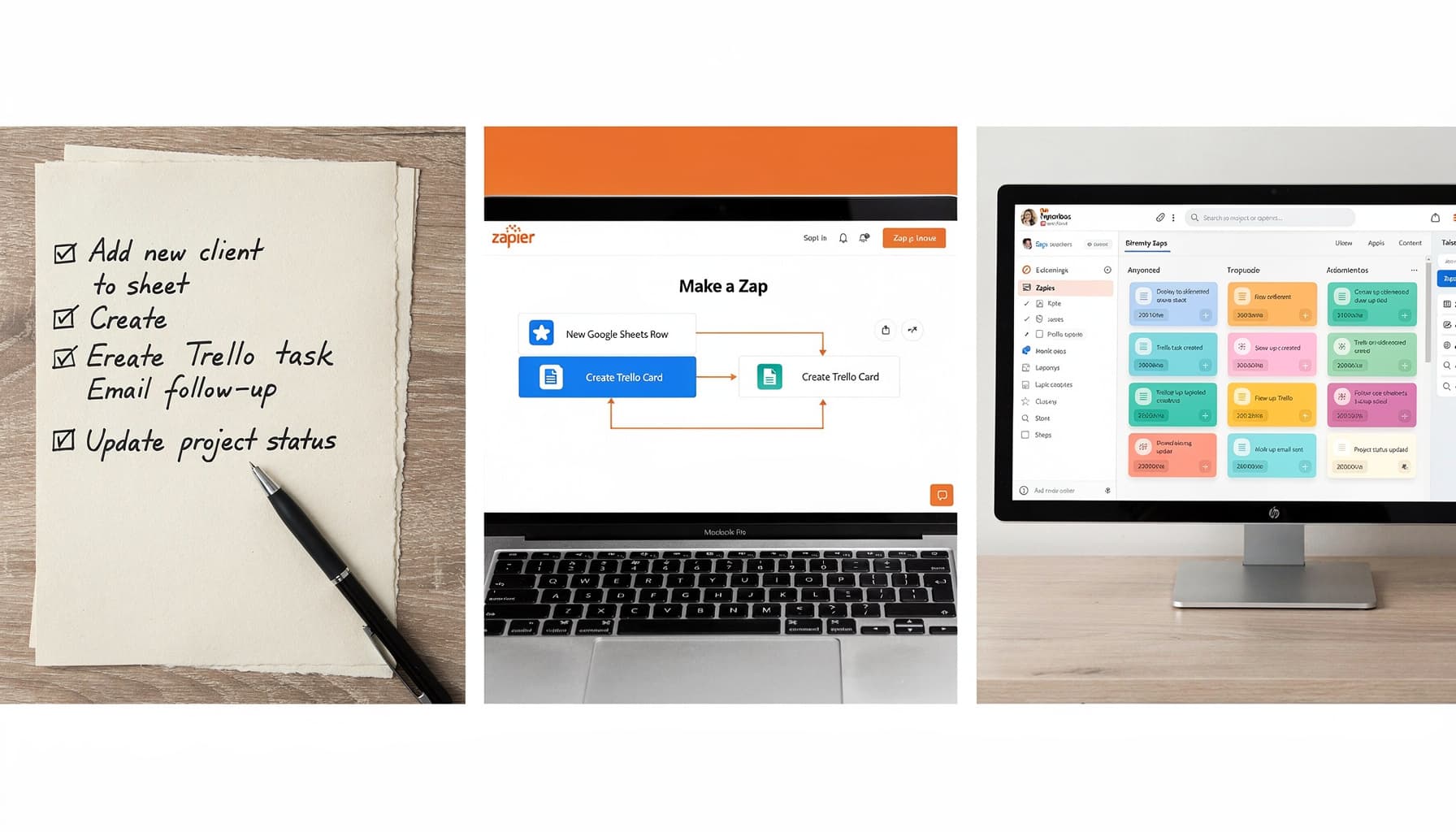
Table of Contents
Introduction to Zapier Automation
What is Zapier?
Zapier is a powerful automation tool that allows users to connect different apps and services to automate workflows without any coding skills. It acts as a bridge between various web applications, enabling them to work together seamlessly. With Zapier, users can create automated sequences of actions known as "Zaps," which trigger when a specific event occurs in one app and initiate actions in another app.
How Zapier Automation Works
Zapier works on a simple trigger-action principle. When a trigger event happens in one app, it automatically triggers the action in another connected app. For instance, if a new entry is added in a Google Sheet (trigger), Zapier can automatically create a new task in a project management tool like Trello (action).
The beauty of Zapier lies in its simplicity and versatility. Users can choose from thousands of pre-built integrations or create their own custom Zaps to automate repetitive tasks, saving time and reducing errors. Whether it's syncing data between apps, sending notifications, or updating spreadsheets, Zapier empowers users to streamline their workflows efficiently.
Benefits of Using Zapier for Business Automation
Streamlining Workflow Processes
Saving Time and Reducing Costs
Enhancing Team Collaboration
Key Features of Zapier Automation
Building Custom Workflows
Zapier automation excels in empowering users to create custom workflows tailored to their specific needs. By allowing seamless integration between various apps and services, Zapier enables users to automate repetitive tasks and streamline processes effortlessly. Whether it's triggering actions based on specific events or setting up conditional logic to automate decision-making, Zapier's workflow builder provides a user-friendly interface that empowers individuals and teams to optimize their work processes without any coding skills required.
Integrating Multiple Applications
One of the key advantages of Zapier automation is its ability to integrate with a vast array of applications and tools. Whether you're using project management tools like Asana, communication platforms like Slack, or CRM systems like Salesforce, Zapier offers a wide range of integrations that allow you to connect different software seamlessly. This integration capability enables users to centralize their workflows, eliminate silos between applications, and ensure smooth data flow across various tools, ultimately enhancing productivity and efficiency.
Real-Time Data Synchronization
Zapier's real-time data synchronization feature ensures that information is updated instantaneously across all connected apps. This real-time updating capability is especially valuable for teams collaborating on projects or accessing shared data, as it eliminates the need for manual data entry and reduces the risk of outdated information causing discrepancies. With Zapier's real-time data synchronization, users can trust that the information they are working with is always up-to-date, enabling better decision-making and reducing the chances of errors due to outdated data.
Getting Started with Zapier Automation
Creating Your First Zap
To kickstart your journey with Zapier automation, you first need to create your first "Zap." A Zap is a workflow that connects your apps and services to automate tasks without any manual intervention. Start by logging into your Zapier account and click on the "Make a Zap" button.
Next, you'll be prompted to set up a trigger. A trigger is the event in one app that starts the workflow. Choose the app you want to trigger the automation and configure the specific trigger event. Once the trigger is set, it's time to move on to setting up the action.
After setting up the trigger, you'll need to add an action. The action is the event that takes place in response to the trigger. Select the app where you want the action to occur and configure the specific action to be performed. Zapier will then automate this action whenever the trigger event happens.
Lastly, turn on your Zap, and voila! You've just created your first Zap, automating a task that used to be manual and time-consuming.
Setting Up Triggers and Actions
When setting up triggers and actions in Zapier, it's essential to choose them wisely to ensure your automation works seamlessly. Triggers and actions are the backbone of your Zaps, determining when and how the workflow will run.
For triggers, consider the specific events in your apps that should initiate the automation. Whether it's receiving an email, updating a spreadsheet, or a new entry in a form, pick triggers that accurately represent when you want the automation to start.
Actions, on the other hand, are the tasks you want to automate once the trigger occurs. Whether it's sending an email, creating a task in your project management tool, or adding a lead to your CRM, choose actions that align with your workflow goals.
By selecting the right triggers and actions and configuring them correctly, you can ensure that your Zaps run smoothly and effectively, saving you time and effort on repetitive tasks.
Testing and Optimizing Your Zaps
After setting up your Zaps, it's crucial to test them to ensure they work as intended. Zapier provides a testing feature that allows you to see how your automation performs before deploying it in your live workflow.
Run test triggers to check if the actions are executed correctly and if any adjustments are needed. This process helps you identify and fix any issues or misconfigurations before your Zaps are actively used.
Moreover, once your Zaps are up and running, monitor their performance to identify any bottlenecks or areas for optimization. You can track metrics such as the number of tasks completed, any errors encountered, and the time taken for each automation.
By continuously testing and optimizing your Zaps, you can ensure that your automation workflows are efficient, reliable, and contribute to enhancing your productivity and efficiency in the long run.
Advanced Zapier Automation Strategies
Automating Complex Business Processes
In the realm of automation, Zapier stands out as a powerful tool capable of streamlining even the most intricate business processes. By harnessing Zapier's capabilities, businesses can automate complex workflows that involve multiple apps, triggers, and actions. Whether it's integrating customer data from a form submission into a CRM system, automating the creation of personalized emails based on specific triggers, or orchestrating a chain of events based on certain conditions, Zapier offers a versatile platform to execute these complex tasks effortlessly.
One key strategy in automating complex business processes with Zapier is to break down the workflow into smaller, more manageable steps. By mapping out each trigger-action sequence and defining the conditions for smooth transitions between tasks, businesses can create a seamless automation flow that minimizes errors and maximizes efficiency. Moreover, by leveraging Zapier's conditional logic and data manipulation features, users can customize the automation process to suit their specific business requirements.
Utilizing Advanced Zapier Tools
To truly unlock the full potential of Zapier automation, businesses should explore and leverage its advanced tools and features. Zapier offers a range of functionalities that enable users to optimize and enhance their automation workflows. For instance, the Delay tool allows for the introduction of time intervals between tasks, enabling users to schedule actions at precise moments. This can be particularly useful for scenarios where tasks need to be staggered or synchronized with external events.
Additionally, Zapier's Paths tool empowers users to create conditional workflows that branch out based on specific criteria. This feature enables businesses to build dynamic automation sequences that adapt to changing conditions, ensuring flexibility and scalability in their processes. By utilizing these advanced tools in Zapier, businesses can design sophisticated automation solutions that cater to their unique needs and objectives.
Scaling Automation Solutions
As businesses grow and their automation needs evolve, scaling automation solutions becomes paramount. Zapier offers scalability through its ability to handle a wide range of integrations, triggers, and actions. By strategically organizing workflows, consolidating repetitive tasks, and optimizing resource allocation, businesses can scale their automation solutions effectively using Zapier.
Furthermore, Zapier's Multi-Step Zaps feature allows users to chain together multiple actions within a single automation workflow, enabling complex processes to be streamlined into a cohesive sequence. This not only enhances efficiency but also paves the way for scaling automation across different departments and functions within an organization. By designing scalable automation solutions with Zapier, businesses can adapt to changing demands, increase productivity, and drive continued growth and success.
Zapier Automation Success Stories
Case Study: Improving Sales Efficiency
In the realm of sales, time is money. Zapier automation has revolutionized how sales teams operate by eliminating manual tasks and enabling seamless integrations between various tools. For instance, a sales team could automate lead generation by creating Zaps that trigger when a new contact is added in HubSpot, automatically sending personalized welcome emails via Mailchimp, and updating relevant data in Airtable for better tracking. By streamlining these processes, sales reps can focus more on building relationships and closing deals, leading to significant improvements in sales efficiency.
Case Study: Enhancing Customer Support
Customer support teams often juggle multiple inquiries and support tickets simultaneously. Zapier automation can be a game-changer in this scenario by automating repetitive tasks and integrating support tools for a more streamlined workflow. For example, a support team can use Zapier to create automated processes that notify team members via Slack when a high-priority ticket is received in Zendesk, automatically pull customer data from CRM systems like HubSpot, and send follow-up surveys using SurveyMonkey after issue resolution. Such automated workflows not only boost the efficiency of the support team but also enhance the overall customer experience through faster response times and personalized interactions.
Case Study: Streamlining HR Operations
Human Resources departments handle a multitude of tasks, from onboarding new employees to managing payroll and benefits. Zapier automation can simplify and optimize HR operations by connecting disparate systems and automating routine HR processes. For instance, HR teams can create Zaps that automatically update employee information in Google Sheets when a new hire record is added in BambooHR, trigger Slack notifications for work anniversaries or birthdays, and integrate payroll data from platforms like Gusto or ADP for seamless processing. By leveraging Zapier for HR tasks, organizations can reduce manual errors, save time on administrative duties, and focus more on strategic initiatives to nurture a positive workplace culture.
Unlocking the Full Potential of Zapier Automation
Tips for Maximizing Benefits
When it comes to maximizing the benefits of Zapier automation, there are several strategies to consider. Firstly, take the time to thoroughly understand Zapier's capabilities and integrations. Explore the vast array of apps that Zapier can connect with and brainstorm creative ways to automate tasks across platforms.
Another tip is to leverage Zapier's ability to create multi-step workflows. By chaining together multiple actions, conditions, and triggers, you can build complex automations that cater to your specific needs. This can help in streamlining processes, reducing human error, and increasing overall efficiency.
Additionally, regularly review and optimize your automation workflows. As your business evolves, so too should your automated processes. Keep track of performance metrics, user feedback, and changes in your workflow requirements to ensure that your automations continue to deliver value.
Avoiding Common Pitfalls
While Zapier automation can greatly benefit your workflow, there are common pitfalls to watch out for. One common mistake is overcomplicating workflows. It's essential to keep your automations simple and focused on solving specific problems. This not only makes them easier to manage but also reduces the risk of errors.
Another pitfall to avoid is neglecting proper testing. Before deploying any new automation, thoroughly test it to identify and fix any bugs or issues. This includes testing various scenarios, edge cases, and potential failure points to ensure your workflows operate smoothly in real-world situations.
Lastly, don't forget the importance of security and data privacy. When setting up automations that involve sensitive data, double-check that you have the necessary permissions and safeguards in place to protect your information and comply with relevant regulations.
Future-Proofing Your Automation Practices
To future-proof your automation practices with Zapier, stay informed about updates and new features released by the platform. Zapier regularly introduces enhancements and integrations that could further optimize your workflows or open up new automation possibilities.
Moreover, consider investing in employee training to ensure your team is proficient in utilizing Zapier to its fullest potential. By empowering your staff with the skills and knowledge to implement and troubleshoot automations, you can drive continuous improvement and innovation within your organization.
Furthermore, embrace a culture of experimentation and continuous refinement. Encourage team members to suggest automation ideas, test new workflows, and provide feedback on existing automations. This iterative approach can lead to ongoing enhancements and efficiencies in your automated processes.