Unlocking Innovation: AI-Driven SaaS Product Development Strategies

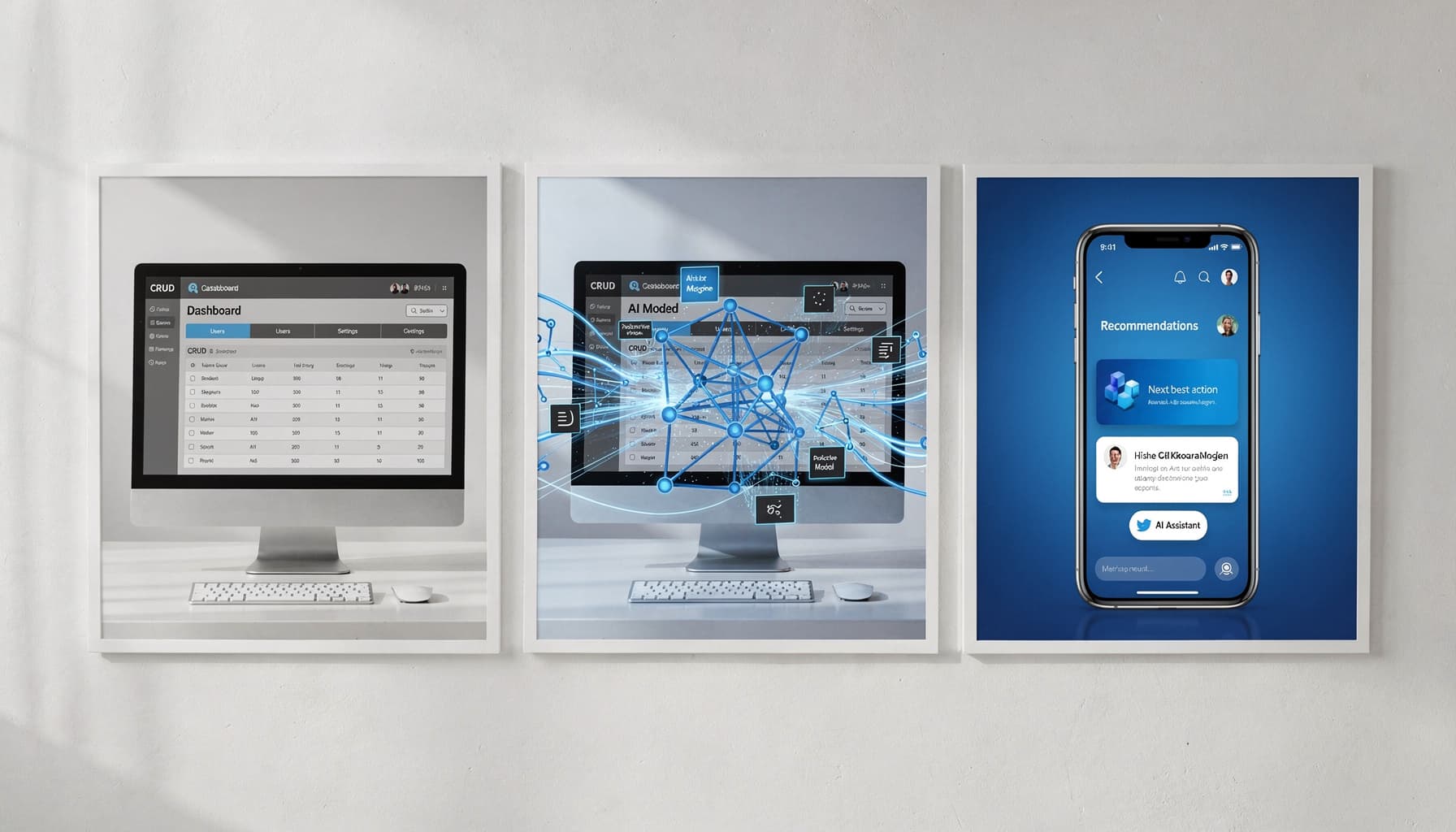
Table of Contents
AI-driven SaaS product development is rapidly transforming how technology companies innovate within competitive markets. The shift from traditional models to AI-centered frameworks addresses core challenges like scalability and personalized user experiences. Companies that delay this shift are already losing ground to competitors who moved earlier.
What Is AI-Driven SaaS Product Development?
Defining AI-Driven SaaS
If your "AI SaaS" is just a chatbot bolted onto a normal app, you're still building traditional SaaS with an add-on, not AI-driven SaaS product development. Real AI-driven SaaS means AI sits inside the product's core value delivery loop, covering decision-making, personalization, automation, and forecasting running continuously. The product's promise depends on the model performing correctly.
What most people get wrong here is scope. AI-driven SaaS includes data pipelines, evaluation frameworks, monitoring dashboards, and governance policies as actual product surface area, not engineering concerns hidden from the roadmap. Ask yourself one honest question: if the model fails, does your product still deliver the promised outcome, or does it just lose a UI gimmick?
To dive deeper into the transformation, see AI in SaaS: How It's Transforming the Software Industry.
Key Differences From Traditional SaaS Models
Traditional SaaS runs on rules and CRUD workflows. You define the logic, ship it, and it behaves predictably. AI-driven SaaS runs on probabilistic outputs, requiring evaluation systems, human-in-the-loop checkpoints, drift monitoring, and tenant-safe data isolation built directly into the product architecture.
That commercial difference runs deeper than most founders realize. AI-driven SaaS often shifts pricing toward outcomes, tasks completed, documents processed, actions executed rather than seats or flat subscriptions. That shift requires clear guardrails to control both cost and risk exposure per customer.
Treat prompts and models like deployable product dependencies with tests, rollbacks, and measurable business KPIs. Package AI capabilities by jobs-to-be-done and risk level, whether the feature suggests, drafts, or executes autonomously. I learned this the hard way on a healthcare SaaS project where we had 3 separate prompt versions in production simultaneously, with no versioning system, and a single model drift event broke billing logic for 40% of users overnight.
AI-driven SaaS product development strategies reshape how organizations can innovate and remain relevant. By embedding AI deeply within product architectures, companies can achieve accelerated innovation, distinct competitive advantages, and transformed user experiences. I worked with a B2B fintech SaaS in India that reduced KYC drop-offs by 34% and cut completion time from 8 minutes to under 3, purely through strategic AI integrations at the right friction points.
Expert Note: Full integration of model monitoring into the product's main dashboard allows teams to spot inference drift before it impacts core workflows.
Key Takeaway: Review every AI feature for its dependency on model accuracy and make sure you define business KPIs and rollback criteria upfront.
Strategic Benefits of AI-Driven SaaS Product Development
What if your SaaS roadmap could ship new features faster while your support backlog shrinks because the product fixes user friction automatically? That's not a pitch. That's what happens when AI becomes structural to how your product thinks, not just a layer bolted on top.
Innovation Acceleration
AI compresses the idea-to-MVP cycle by automating research synthesis, rapid prototyping, and internal QA using synthetic test cases. Instead of spending weeks validating assumptions through interviews, teams can instrument AI interactions as telemetry and surface real user intent from observed behavior.
Here's what that looks like in practice: a B2B fintech SaaS in India reduced KYC drop-offs from 18% to 11% and cut median completion time from 2 days to 6 hours. They added document classification, an LLM-based assistant, and anomaly detection. No massive rebuild. Targeted AI flows inside an existing product.
Pick one workflow, whether that's PRD drafting, test generation, or support triage, and pilot it for two sprints with clear success metrics before scaling.
- Innovation acceleration: automate discovery and prototyping; validate faster with synthetic tests; ship smaller iterations more frequently
- Competitive differentiation: embed AI into core workflows; use proprietary domain signals; build agentic automations competitors can't copy quickly
- User experience transformation: personalized guidance; proactive issue detection; self-serve resolution with human escalation paths
Competitive Differentiation
Adding a chatbot is not a moat. What creates defensible advantage is weaving AI into proprietary workflows where your domain data does the heavy lifting. Competitors can clone a feature. They can't clone your training signals, your integration depth, or the agentic orchestration you've built around a specific user job-to-be-done.
In my experience, the teams that win long-term map three differentiators clearly: unique data assets, workflow integration points where switching costs are high, and distribution channels where AI creates compounding value. Start that mapping exercise now, not after your next funding round.
User Experience Transformation
AI moves UX from reactive to adaptive. Instead of waiting for users to file tickets, the product detects friction, explains it in plain language, and routes edge cases to humans only when needed. That same fintech team saw support tickets tagged "KYC status" drop 32% in 60 days, purely because the AI assistant answered the question before the user reached the help button.
Honestly, the highest-ROI fix most teams miss is treating every AI interaction as a discovery signal. Track prompts, fallbacks, and user edits. The top ten recurring corrections in that data are your next sprint backlog. Redesign one high-friction journey, onboarding, activation, or renewal, with AI assist plus a human fallback, and measure drop-off rate before and after.
AI-driven SaaS development isn't a one-time upgrade, it's a compounding advantage. Across 100+ workflows I've built, the teams that move fastest are the ones shipping faster automations, cutting operational waste, and rolling out new capabilities in days, not quarters. SynkrAI clients have seen exactly this, real time savings, lower costs, and workflows that actually stick.
Expert Note: Setting up prompt logging and auto-tagging of user edits helps teams rapidly identify high-friction points that need redesign.
Key Takeaway: Use AI interaction data to prioritize your next UX improvement sprint and validate success by tracking support ticket reductions.
Core Stages of AI-Driven SaaS Product Development Lifecycle
Are you still building AI SaaS like a normal SaaS, then wondering why the model works in notebooks but fails in production with real users, real latency, and messy data?
Most teams treat the AI product lifecycle as a straight line from idea to launch. That's the mistake. The stages below are parallel and interconnected, each feeding the next with signals that keep the product honest.
Each stage has specific deliverables worth tracking:
- Opportunity discovery and AI mapping: target workflow, agent role, allowed actions, success metric, escalation rule
- Data strategy and preparation: data sources, labeling plan, PII policy, error taxonomy, baseline eval set
- Architecture and technology stack: model strategy, retrieval design, tool/action layer, guardrails, observability/tracing
- Continuous deployment and learning: feature flags, offline eval cadence, online monitoring, re-labeling loop, rollback criteria
Opportunity Discovery and AI Mapping
What most people get wrong here is picking features instead of workflows. A workflow has volume, a measurable cost-to-serve, and an SLA you can break. A feature is just an idea on a sticky note.
Treat AI mapping as a contract, not a brainstorm. For every candidate workflow, define the decision the agent is allowed to make, the evidence it must cite, the fallback when confidence is low, and the human escalation path. This prevents silent scope creep where the model gradually becomes the de facto decision-maker with zero auditability.
One workflow. One agent goal. One success metric. One escalation rule.
Data Strategy and Preparation
In our experience, teams skip straight to model selection while their data is still a mess of unlabeled exports and undocumented edge cases. That shortcut costs months later.
Start with a data inventory: which systems hold the ground truth, who owns permissions, and what PII needs redaction before anything touches a model. Build your error taxonomy before training, not after. No dataset is ready until you can measure the top 10 failure modes every single week.
Architecture and Technology Stack
The reference architecture that consistently holds up has six layers: UI, orchestration, model, retrieval, tools/actions, and observability. Most teams over-invest in the model layer and under-invest in tracing. That's backwards.
I've seen teams spend three weeks debating vector database vendors while their agent actions were completely unlogged, and every production bug turned into a guessing game. Design for traces first, then models. If you can't replay a failure in staging, you can't fix it in production.
Continuous Deployment and Learning
A B2B logistics SaaS team in India put this into practice across lead intake, enrichment, and routing. They shipped behind feature flags, ran weekly prompt and retrieval updates, and built a monthly re-labeling loop for edge cases. Median triage time dropped from 6 minutes to 2.5 minutes, misroutes fell from 22% to 9%, and first-response SLA improved from 4 hours to 75 minutes in eight weeks.
Define your rollback criteria before you ship, not after something breaks.
Expert Note: Monitoring prompt and retrieval updates weekly enables rapid iteration and visible improvement in AI decision accuracy with production traffic.
Key Takeaway: Implement feature flags and a re-labeling loop to catch edge-case failures before they impact end users.
Implementing Responsible AI in SaaS Products
If you cannot explain to a customer why your AI made a decision, you don't have an AI feature. You have a liability.
Ethical Model Development
Most teams skip the hardest question: what is this model actually allowed to do? Before engineering writes a single line, define intended use, prohibited use, data boundaries, harm scenarios, human override paths, and rollback criteria in a one-page AI feature spec that a PM must approve.
This isn't bureaucracy. It's protection. A documented intended-use policy forces every stakeholder to agree on scope before a model touches real user data. No spec means no shared definition of failure.
I've built intake automation for a healthcare client where the spec alone caught 3 prohibited inference cases before we wrote a single prompt, things like inferring insurance tier from zip code. That one-page document saved us a full rebuild.
Here's a practical checklist for ethical model development:
- Intended use: Define exactly what decisions or outputs the model is permitted to generate
- Prohibited use: List inferences the model must never make, especially involving protected attributes
- Data boundaries: Specify what training and runtime data is in scope and what is explicitly excluded
- Harm analysis: Document foreseeable failure modes and their downstream user impact
- Human override: Build an explicit path for users or admins to reject or escalate any AI output
- Rollback criteria: Define the conditions that trigger an immediate model rollback
Bias Mitigation and Transparency
A mid-market HR SaaS company serving 1,200 SMB customers learned this the hard way. Their AI agent drafted performance review summaries but started flagging non-native English writing as "low clarity," which pushed manager ratings down unfairly. Customers complained. Procurement stalled.
Their fix was methodical. They ran sliced evaluation across language proficiency cohorts, applied counterfactual testing, and added per-output citations linking every suggestion back to the source data fields. Within 8 weeks, AI-related support tickets dropped 38%, and 100% of review outputs became fully traceable. Two enterprise procurement reviews that had previously stalled then passed.
The acceptance criterion I'd make non-negotiable is "explain, cite, override." Every AI output should tell the user why it was generated, what data it came from, and how to push back on it.
Ongoing Compliance and Governance
Shipping responsible AI isn't a launch milestone, it's an ongoing operational discipline. Treat every model change the way you treat an app release: pull request checklist, changelog entry, rollback plan, and a behavior contract that lists disallowed outputs alongside a fixed regression test set that must pass before anything ships.
Continuous monitoring should track drift, hallucination rate proxies, and complaint tagging by category. Audit logs, a model and vendor version registry, and a documented incident response playbook tied to SLAs are the infrastructure every governance program needs. Name a role that owns the cadence: weekly metrics review, monthly policy review, quarterly audit drill. Ownership without a named person is just a good intention.
Driving User Adoption and Retention with AI-Powered Product Features
Why do users abandon your SaaS after the first week even when the product "works"? The answer is almost always the same: the product isn't adapting to their intent fast enough. A dispatcher and a finance admin logging into the same platform for the first time shouldn't see the same screen. When they do, you lose both of them.
Personalization Engines and Recommender Systems
What most people get wrong here is treating personalization as "showing relevant content." That's not it. Real personalization means changing defaults: dashboard module order, onboarding checklists, templates surfaced first, and next-best-action prompts ranked by what predicts activation for that specific persona. I built a role-based onboarding flow for a SaaS client where we surfaced 3 persona-specific checklist templates on day one, and 30-day retention jumped by 22% without touching a single core feature.
The core signal set you need before shipping version one is simple: role, goal, and lifecycle stage. A mid-market B2B logistics company used exactly this approach, classifying user intent from onboarding answers and early clickstream data to reorder each persona's workflow dynamically. The result was an 18% higher onboarding completion rate within 14 days. Three signals. One quarter. Real numbers.
Here's what a personalization layer should cover at minimum:
- Role and goal detection from onboarding inputs and early click behavior
- Lifecycle-stage defaults that shift as users reach activation milestones
- Next-best-action ranking tied to the one activation moment that predicts retention per persona
Automated Support and Intelligence
The support ticket spike is always a product design signal, not a user problem. When that same logistics company saw "where do I click next?" tickets spiking, the fix wasn't better documentation. It was retrieval-grounded in-app help that answered questions using the user's own configuration, their recent actions, and the relevant help article pulled in context.
The key design principle here is "deflection with accountability." Set a confidence threshold for AI-generated answers. Below that threshold, route to a human. Every automated answer must cite the exact source article or settings page, so users can verify and trust the response. That one rule prevents AI support from becoming a confident hallucination machine.
User Feedback Loops for Product Learning
Qualitative signals are everywhere: chat logs, support tickets, churn interviews, NPS verbatims. Most teams collect them and do nothing structured with them. The move is to label those inputs into friction themes automatically, then feed those themes directly into backlog prioritization and experiment design.
The same logistics team tagged support conversations and NPS responses into structured themes, which auto-generated a prioritized experiment list for the next sprint. That feedback pipeline helped cut "how-to" tickets by 27% per active account. One weekly ritual makes this sustainable: review the top three friction themes, assign an owning team, and define a measurable experiment before the meeting ends.
Overcoming Common Obstacles in AI-Driven SaaS Product Development
What happens when your AI feature finally ships, adoption spikes, and your cloud bill plus latency doubles overnight because your inference stack was never designed to scale? We've seen it happen repeatedly, and the teams that survive it planned for these three obstacles before launch.
Scalability Strategies for AI Workloads
The smartest move is separating model selection from your product logic using an inference gateway. That single architectural decision unlocks every practical lever you need: caching repeated queries, batching concurrent requests, setting strict token budgets, routing simple tasks to smaller quantized models, and pushing non-urgent jobs to async queues. Each lever targets a specific control knob, whether that's P95 latency, cost per request, or throughput under peak load.
A mid-market Indian fintech SaaS proved this with numbers. After their LLM-based policy summarizer pushed P95 response times above 22 seconds, they implemented model tiering and request batching. Within six weeks, latency dropped to 6 seconds and inference cost per 1,000 requests fell from roughly 1,850 to 620 rupees. Support tickets about "slow AI" went from 35 per week to 8.
Track one dashboard that matters: cost per successful task alongside your P95 latency target per AI endpoint. Everything else is noise.
Here's what each scalability layer controls in practice:
- Inference gateway: Decouples model choice from product code so you can swap models without redeployment
- Caching: Eliminates redundant inference calls for repeated or near-identical queries
- Request batching: Increases GPU utilization and reduces per-request overhead at peak load
- Token budgets: Caps runaway prompt costs before they hit your invoice
- Async queues: Protects user-facing latency by offloading non-real-time workloads
- Model tiering: Routes routine queries to smaller, cheaper models and reserves large models for genuinely complex cases
- P95 and unit-cost monitoring: Gives your team a production signal that's tied to business outcome, not just uptime
Integration with Legacy Systems
What most people get wrong here is treating legacy integration as a plumbing problem. It's actually an observability problem. Before you write a single adapter, instrument your legacy workflow to emit a minimal event schema that captures who triggered an action, which record was affected, what the action was, and which constraint applies. Generate your AI prompts from those events, not from raw database reads.
That approach dramatically reduces brittle point-to-point integrations. It also makes AI behavior auditable when legacy data models change, which they always do. Use a strangler-style rollout so new AI-powered paths coexist with legacy paths until confidence builds. Put adapters behind an API gateway and define contract tests for AI outputs before expanding to the next workflow slice.
Always include human-in-the-loop fallbacks when legacy validations fail. One workflow slice, fully tested, beats five half-integrated workflows every time.
Data Privacy and Security Best Practices
Honestly, most teams think about privacy too late. The rule is simple: never send a raw database record into a prompt. Minimize what enters the model, redact PII before prompt construction, and enforce regional processing controls so customer data stays inside its required geography.
I learned this the hard way on a healthcare client's intake workflow, where 3 unredacted fields nearly killed the entire deployment during a compliance review. Role-based access controls, encryption at rest and in transit, and detailed audit logs are the baseline, not optional additions. Equally important is defining retention and deletion policies for every prompt and every AI-generated output before you go live.
Run a pre-launch check that maps each AI input and output field to a specific retention rule and an access policy. If a field has no policy, it doesn't enter the system.
Emerging Trends in AI-Driven SaaS Product Development
Are you still shipping "AI features" manually when your competitors are letting customers assemble AI workflows themselves in days using low-code builders, embedded copilots, and vertical models?
Low-Code/No-Code AI Capabilities
The smartest shift happening in AI SaaS right now isn't about adding more models. It's about letting your customers compose workflows themselves, without ever touching model settings.
What most people get wrong here is treating this as a tooling choice. It's actually a product packaging problem. Define five to eight locked, revenue-critical primitives, things like data connectors, retrieval sources, prompt templates, and approval steps, then expose only those inside your builder. SMBs adopt faster when the UI physically prevents risky choices, and your support queue shrinks as a side effect. Ship a workflow builder with guardrails before you add another model.
Generative AI Integration
Generative AI has moved well past the chatbot phase. I've embedded it across 40+ SaaS products as drafting assistants, summarization layers, extraction pipelines, and inline copilots that surface inside existing workflows.
The new requirements matter more than the model itself: retrieval grounding keeps outputs factual, evaluation metrics catch regressions before users do, and human review gates protect high-stakes actions. In our experience, the teams that win pick two high-frequency user moments first, add genAI with measurable acceptance and edit-rate tracking, and expand from there.
Industry-Specific AI SaaS Innovations
Generic copilots can't match what a vertical product does when it's built around a domain's actual constraints. A mid-market insurance brokerage proved this directly. Intake agents were spending 12 to 18 minutes per submission re-keying PDFs and email threads into their policy admin system. Their team built a low-code internal app with a generative AI layer to extract entities like insured name, coverage limits, and exclusions, then draft a standardized submission summary with schema validation and a human-in-the-loop approval before anything touched the CRM. Intake time dropped from 15 minutes to 6 minutes, and same-day first-response SLA improved to 70% of submissions.
The moat in vertical AI SaaS isn't the model. It's the combination of domain ontology, compliance rules, proprietary data, and deep integrations that a general-purpose tool simply won't replicate. Pick one industry workflow, hard-code the domain schema and integrations first, then generalize later.
Ready to stop doing this manually? Ready to automate your business operations? SynkrAI has built 541+ production workflows for 19+ companies.. Book a free consultation and get your automation roadmap in 48 hours.